Using a clunky website on your phone can be a very frustrating and annoying experience. Now picture that same frustration for someone who can’t use a mouse, or who reads Arabic first and English second.
A good website in Dubai gets four things right. It complies with WCAG 2.1 Level AA. Fully accessible through keyboard and screen readers. It is correctly read by English and Arabic languages. Visitors who call using their mobile device will reach you at the touch of a button without going through the hassle of finding a number.
Your customers include People of Determination, residents over 60, and visitors reading in a second language on a small screen. That’s a big slice of the people you want to hear from.
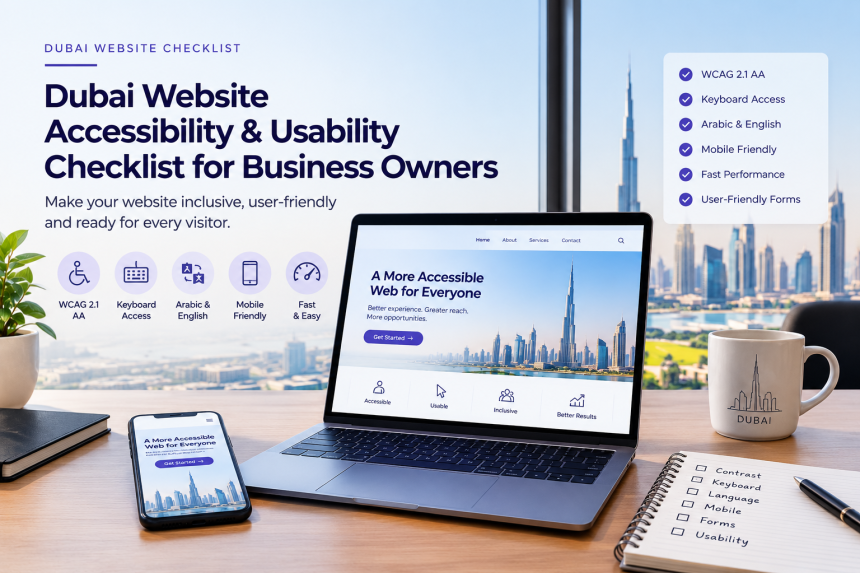
This Dubai website accessibility checklist turns those four goals into checks you can run yourself. Each one comes with a pass standard and a quick way to test it.
Which accessibility rules apply to a Dubai business website?
WCAG 2.1 level AA is the standard in the UAE. The TDRA (Telecommunications Regulatory Authority) has issued the National Policy for Digital Accessibility in March this year, 2024, which requires all public service websites to be brought into compliance with it.
The policy binds federal government entities, along with the companies that build or run digital services for them. Private sector entities are asked to take it into account and make their best effort to comply. Sector regulators are expected to liaise with the private companies they license.
So where does that leave you if you run a private business? Simple. Use WCAG 2.1 AA as the starting point. The UAE government portal says it meets WCAG 2.1 and WCAG 2.2 at AA. For a new build, or when you redo the site, WCAG 2.2 is a good goal.
If you work in health, school, or banking, look at what your regulator requires. Also check with your legal adviser about what you must do.
Website accessibility checklist
These ten checks cover the WCAG items that you can verify by yourself with a browser and a phone. You won’t need any specific tools to pass most of the tests, just a little time and ten minutes here and there.
⦁ Text contrast: the contrast ratio between body text and the background needs to be at least 4.5:1, and for large text – 3:1.
⦁ Keyboard access: all the menus, buttons, links, and forms must all be navigable using Tab and Enter keys.
⦁ Visible focus: the page must have an indication of where you are on a page.
⦁ Image descriptions: all the meaningful images need to have a text description, and decorative ones should be marked as such.
⦁ Heading order: Keep the order of all the headings in line.
⦁ Form labels: all fields in a form need to have a visible label that stays with the input.
⦁ Error messages: form errors need to be displayed as text next to the incorrect input, and explain how to fix the issue.
⦁ Link text: link text and buttons should say what they do, like ‘Book a consultation’. Read your links on their own, without context, and see if they make sense.
⦁ Zoom and text size: text and elements on the page need to remain legible and intact at 200% view size.
⦁ Captions: videos need captions, and audio recordings should have a transcript. A captioned video will help everybody who can’t hear, like passengers in a taxi.
Website usability checklist
Accessibility gets people to your content. Usability decides how quickly they get something done once they arrive, and whether they stick around long enough to do it. This website usability checklist has eight points that shape that experience.
⦁ Clear purpose: the homepage headline should say what you offer and where, within the first screen. Show it to someone new for five seconds, then ask what the business does. If they hesitate, you’ve got work to do.
⦁ Simple navigation: plain labels in the main menu, and about seven items at most.
⦁ Mobile layout: content fits the screen width, and the main action sits within thumb reach.
⦁ Tap targets: buttons and links should measure at least 24 by 24 CSS pixels, with some space between them.
⦁ Easy contact: the phone number dials on tap, and WhatsApp and the enquiry form can be reached from every page.
⦁ Short forms: only ask for details you’ll actually use, and make phone fields open the numeric keypad. Fill in your own form on a phone and notice where you get annoyed.
⦁ Trust details: address, licence details, opening hours and prices in AED should be easy to find. Start at the homepage and go looking for each one like a first-time visitor would.
Those speed numbers are Google’s “good” thresholds for Core Web Vitals, and the tap target size comes from WCAG 2.2.
Usability also sits alongside other professional business website features, such as clear calls to action, trust signals and analytics. They all work together.
Extra checks for Dubai websites
A website here has to cope with two languages, two reading directions and some very local contact habits. Add these eight checks to the lists above.
⦁ Arabic pages should have the language and direction in the code (lang=”ar” and dir=”rtl”).
⦁ The language switch must show on every page.
⦁ Menus, arrows, back buttons and form fields should all appear in the Arabic layout.
⦁ Arabic text uses a typeface made for Arabic script, at a size that sits comfortably beside the English version.
⦁ Phone fields accept UAE formats, both +971 and 05X.
⦁ The WhatsApp button has a text label a screen reader can announce.
⦁ The map must come with a written address, a nearby landmark, so screen reader users get the same directions as everyone else.
⦁ Opening hours appear as text on the page, and you update them for Ramadan and public holidays.
How to test your site in 30 minutes
Five short passes cover most of the points above. First, check the homepage, your primary service page and your contact page. Then, work through this list.
⦁ Keyboard pass (5 minutes): Tab through each page and the contact form on each, looking out for the focus outline.
⦁ Zoom pass (3 minutes): Open the page at 200% and check the page is accessible and operable at that size.
⦁ Phone pass (10 minutes): On cellular data, check and tap your phone number, send an enquire now and change the language to Arabic. This usually throws up the most issues.
⦁ Automated scan (5 minutes): Run WAVE over the homepage or the Lighthouse tab in Chrome DevTools.
⦁ Screen reader pass (7 minutes): Navigate your homepage using VoiceOver on iOS or TalkBack on Android. It takes some getting used to, but it’s an invaluable way to experience your site.
Next, hand the list to your developer or a web designer in Dubai who knows bilingual layouts. And hang on to the lists above as your website UX checklist for every new page or landing page you publish.
FAQS
Is website accessibility a legal requirement for private businesses in Dubai?
The 2024 National Policy for Digital Accessibility is binding on federal government entities and on companies delivering digital services for them. Other private businesses are asked to make their best effort to comply. Following WCAG 2.1 AA keeps you in line with the policy.
Which WCAG level should my website meet?
Level AA of WCAG 2.1 is the UAE benchmark. Aim for WCAG 2.2 AA when building a website.
How often should I repeat the checklist?
After every redesign, you should repeat the checklist twice a year.
Final words
Therefore, this checklist is a must for business owners. You must always check your homepage, service page, and contact page. Make sure there are no unpleasant curveballs coming at your user. Fix the issues with the help of a developer. Ensure all the hierarchies and language layout are laid out correctly.
You must test all the changes made at every step as per the user experience. After all, the user is the best judge of your website besides you. In this way, you can keep your business website customer-friendly in Dubai.