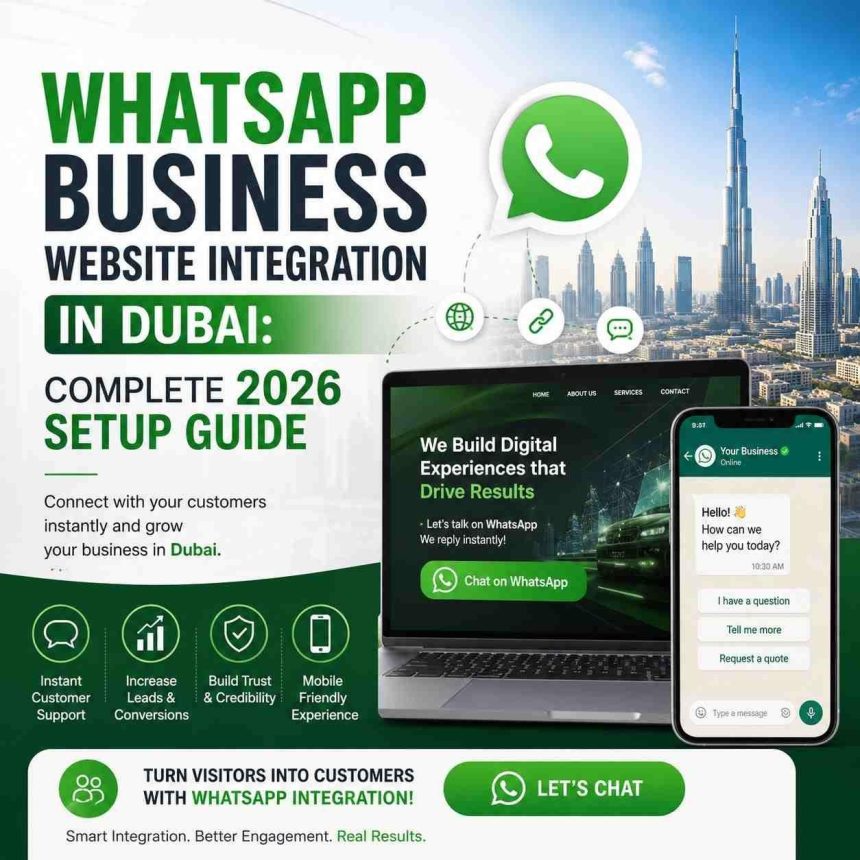
Adding WhatsApp to your business website in Dubai can be as simple as using a WhatsApp chat button, floating widgets, click-to-chat options, QR codes, and automated conversations, or merging your WhatsApp with a CRM, forms, e-commerce platform, chatbot, and customer-support system is the ideal approach.
The ideal WhatsApp integration depends on the website’s type, the number of enquiries it receives, the sales conditions, and the automation requirements. Do you want WhatsApp integrated into your website? Professional web design services in Dubai can help you set it up, making it easier to connect with your target audience and merge it with other website systems where needed. Explore the following guide.
What is WhatsApp business website integration?
WhatsApp integration is connecting your WhatsApp with the website so that users can connect to you directly. It provides direct communication with your business at any time. But the response depends on the automation system and teamwork. The easiest way is to integrate a WhatsApp button in the best place on your website where users can see it and click it instantly. When they click it, they will receive your business number with a pre-filled message. For example: “Hi, I want to learn more about your business”.
If you are running a growing and established business, you should try more advanced integrations that use the WhatsApp Business Platform. It supports automation, multi-agent support, CRM connections, chatbots, notifications, and other business workflows and integrations. There is a difference between the WhatsApp Business App and the WhatsApp Business Platform.
Business App is useful when you receive easy-to-manage enquiries, one or a few people can handle the conversation, you only need manual communication, and your business doesn’t need complex automation. But choose Business Platform when multiple employees need to work to manage chats, your business needs automation, CRM integration is needed, you need customer journeys, and you are unable to manage enquiries manually.
WhatsApp chat button or WhatsApp Business Platform: which should be used
| Requirement | Basic WhatsApp button | WhatsApp Business Platform |
| Click-to-chat | Yes | Yes |
| Website integration | Yes | Yes |
| Manual conversations | Yes | Yes |
| Automation | Limited | Yes |
| Multiple agent workflows | Limited | Supported through appropriate business setup |
| CRM integration | Limited/third-party dependent | Possible |
| Advanced workflows | No/limited | Yes |
| High-volume messaging | Not ideal | Yes |
How you can add WhatsApp to your website effectively
You can use the following 5 ways to integrate WhatsApp into your website:
WhatsApp Chat Button
The easiest approach is to add a WhatsApp chat button for your Dubai business website where it is visible to visitors. The ideal placement includes:
- Website header
- Contact page
- Homepage
- Service pages
- Product pages
- Pricing pages
- Mobile navigation
- Floating chat widget
Floating WhatsApp Widget
The floating widget is useful because it appears on every web page visited. It will constantly remind visitors that they can connect to you at any time. Users don’t have to visit the contact page to get connected, especially when they are navigating your website through mobile devices. But make sure that the widget doesn’t cover cookie consent buttons, live chat controls, or mobile navigation, doesn’t display oversized images, and test it on smaller screens.
Click-to-WhatsApp Links
By using click-to-WhatsApp links, you can drive conversations for different pages or businesses. Instead of sending the same generic message to every visitor, you can ask them to link to WhatsApp about their specific concerns. Such as: “To learn more about website development, connect with us on WhatsApp”. Clickable links are the action taken behind the CTA.
WhatsApp QR codes
Using QR codes can benefit you when offline marketing and website work together. Multiple businesses in Dubai use QR codes so that users can scan them and get connected instantly without requiring the contact number. For example, a restaurant can display its QR code on its menu card, packaging, receipts, and promotional materials; visitors can scan the code and connect immediately. While a real estate company can use them on signage and brochures. Always check the QR code on devices before printing on relevant materials, and add the CTA: scan to connect with us.
WhatsApp Business Platform Integration
A professional developer can integrate the WhatsApp Business Platform with systems such as:
- CRM platforms
- E-commerce stores
- Lead-management systems
- Customer-support software
- Booking systems
- Chatbots
- Internal databases
By doing this, your business can automate customer journeys while humans can respond when it is necessary. The ideal way is to use a WhatsApp chat button or floating widget if you own a small business. But as your business grows and becomes an established one, considering the WhatsApp Business Platform is the smart choice.
What is the WhatsApp integration process for Dubai business websites
A typical website integration follows these steps:
1: Define your goal
Be conscious of why you need WhatsApp integration on your website. The objectives behind integrating it can be:
- Generate sales leads
- Receive quotation requests
- Schedule appointments
- Answer customer questions
- Support existing customers
- Provide order updates
- Qualify prospects
Through these objectives, you can decide the design and technology to be used in website development.
2: Choose the right setup
Choose wisely between the WhatsApp Business App and Business Platform. If you have a small business with easy-to-manage enquiries, then you only need an app. But if you have a growing business that requires multiple agents, automation, CRM integration, structured messaging.
Higher-volume communication, then you must set up a Business Platform. Never choose an expensive API setup just to make your business more professional, but choose the one that aligns with your objectives and workflows.
3: Get your business information ready
Before going forward to integrate WhatsApp into your website, prepare the following:
For a basic website integration:
- Business name
- WhatsApp number
- Website URL
- CTA
For advanced setup
- Business description
- Meta business asset
- Verification where required
- Templates/ workflows
- CRM information
- Support team details
If you are choosing WhatsApp Business Platform, you might need additional business verification and onboarding requirements depending on setup and ongoing needs.
4: Create your WhatsApp call-to-action
The WhatsApp CTA must be able to inform visitors what they should expect to happen after they click the button. Instead of simply integrating WhatsApp, use compelling CTAs so users can be prompted. You can use: “Book a consultation” or “Speak with our support team”. When users get the relevant guidance according to their search intent, businesses can get more enquiries.
5: Add the button to your website
The developer you hire will integrate a WhatsApp link or widget on your website. If you own a WordPress website, it can be done through a plugin, widget, theme functionality, or custom code. But if you have a custom website, the button can be integrated directly into the front end. Make sure the button is responsive and can function across:
- Android
- iPhone
- Desktop
- Different browsers
- Different screen sizes
6: Add messages relevant to the page
Adding relevant messages to each page type can help customers to connect with you more. For example: an e-commerce page related to bags can use a message: “Hi, I like this bag. Is it available?” The sales team can understand effectively what the customer is talking about.
7: Connect your CRM if needed
For a business that gets a high volume of enquiries, integrating CRM can help them capture and organise main information rather than just keeping communication inside individual WhatsApp chats. It requires a compatible CRM, an appropriate integration method, platform setup where required, and workflow configuration. By using a suitable integration, you can help your team:
- Assign conversations
- Track prospects
- Record customer information
- Follow up with leads
- Monitor sales stages
- Measure conversions
For this purpose, integrating professional WhatsApp is the ideal decision rather than just installing the chat icon. The leads can be assigned to team members, monitored through sales, followed up, and associated with customer records according to the system being used.
How Dubai businesses can benefit from WhatsApp automation
Adding WhatsApp automation to a Dubai business website can help visitors to click WhatsApp and select the services. It provides basic details, and the leads are transformed to sales. CRM record is created, and then the team follows up. The intention behind automation is to make communication easier rather than sending irrelevant conversations to users.
H2: What is the ideal approach towards lead generation
Practical example
Imagine a web design and development company in Dubai receives around 70 enquiries in a month. When it is not using WhatsApp integration, the process would be slower, such as: a visitor will reach the website, fill out the form, send an email, and receive manual follow-up.
Actionable advice: If the company uses WhatsApp integration on the website, the process will become more efficient because WhatsApp helps to reduce the time between website visit and communication so that visitors can directly start the enquiry. How? The user visits the website, clicks on WhatsApp, the business qualifies the lead, connected to the CRM, and sales will follow up.
The benefit is not only that the visitors will message you. The real benefit is to reduce the number of steps between website visits and sales follow-up.
What types of industries can benefit from WhatsApp Integration in Dubai
- Real estate: enquiring about properties, viewing requests, and qualifying leads.
- E-commerce: Questions about products, their availability, and order support.
- Restaurants: menu details, reservations, and delivery enquiries.
- Healthcare: appointment enquiries and general service information, with appropriate privacy, security, consent, and regulatory controls for the type of information being processed.
- Professional services: consultation requests, quotations, and initial qualification.
What is the cost of WhatsApp integration in Dubai
The cost depends on several factors, including basic, custom, and advanced integration. Consider the following elements included in the budget:
- Website development
- WhatsApp integration
- CRM integration
- Chatbot development
- Automation
- Platform/provider fees
- Message charges
- Ongoing maintenance
- Number/setup requirements
- Existing website technology
- Number of workflows
- Number of integrations
- Testing and onboarding
The cost of WhatsApp’s official business platform can change. Always check the current pricing and verify it.
The best practices to integrate WhatsApp for 2026
- Keep the call-to-action apparent: visitors should immediately know that clicking the button will start the conversation.
- Make it mobile-friendly: test it across all types of devices and make sure it doesn’t hide the navigation or forms.
- Use contextual messages: pre-filled messages can help you understand which product or service the user is interested in.
- Provide human support: automation should make it easy for the visitor to reach the exact person.
- Use bilingual options where needed: Consider bilingual options when your audience uses both languages.
- Monitor conversions: Track more than WhatsApp clicks. Measure clicks, conversations, qualified leads, appointments or quotations, and ultimately sales.
- Secure customer data: If your website, CRM, or WhatsApp workflow collects personal information, review the privacy and data-protection requirements that apply to your business and processing activities. The UAE’s Federal Decree-Law No. 45 of 2021 on Personal Data Protection is an important starting point, but sector-specific and other applicable requirements may also apply.
The common mistakes you should prevent
- Using a common CTA.
- Installing an interruptive widget.
- Not having a mobile-friendly design.
- Automating everything.
- Using unofficial tools.
- Not tracking conversions.
- Sending users to the wrong team.
- Having no response process.
FAQS:
Can I add WhatsApp to my WordPress website?
Yes. A WordPress website can use a WhatsApp button, floating widget, click-to-chat link, plugin, or custom implementation. The best method depends on the site’s design and the functionality you need.
Is WhatsApp helpful for generating leads for Dubai businesses?
It can be. WhatsApp reduces the steps required for a visitor to start a conversation and can be particularly useful for quotation requests, consultations, appointments, product questions, and property enquiries. However, the integration itself does not guarantee more leads; results depend on traffic, offer, CTA, response time, and sales process.
Does a WhatsApp business button require a WhatsApp Business Platform?
No. A basic click-to-chat button can work without the WhatsApp Business Platform. The Platform becomes relevant when you need more advanced capabilities such as automation, multiple-agent workflows, or system integrations.
How long does WhatsApp website integration take?
A basic click-to-chat button can usually be implemented much faster than an integration involving CRM systems, automation, chatbots, or other business software. The actual timeline depends on the website, integrations, and approval/onboarding requirements.
What WhatsApp setup is ideal for small businesses in Dubai?
Start with the simplest setup that meets your needs. A WhatsApp Business profile plus a well-placed website CTA may be sufficient for a small team. Consider the Business Platform when enquiry volume, automation, or multi-agent requirements increase.
Can I connect WhatsApp to my CRM?
Yes, advanced WhatsApp implementations can connect conversations and lead workflows with compatible CRM or business systems. The exact capabilities depend on the WhatsApp setup, CRM, integration method, and automation requirements.
Conclusion
Take the first step with a simple integration that solves your business problems. If you only need visitors to connect, use a click-to-chat button or a simple widget. If your team needs automation, multiple-agent workflows, CRM integration, or structured messaging, evaluate the WhatsApp Business Platform. The best way is to start by learning about your business objectives, choose the simplest and best setup, and evolve when the business actually needs advancements.