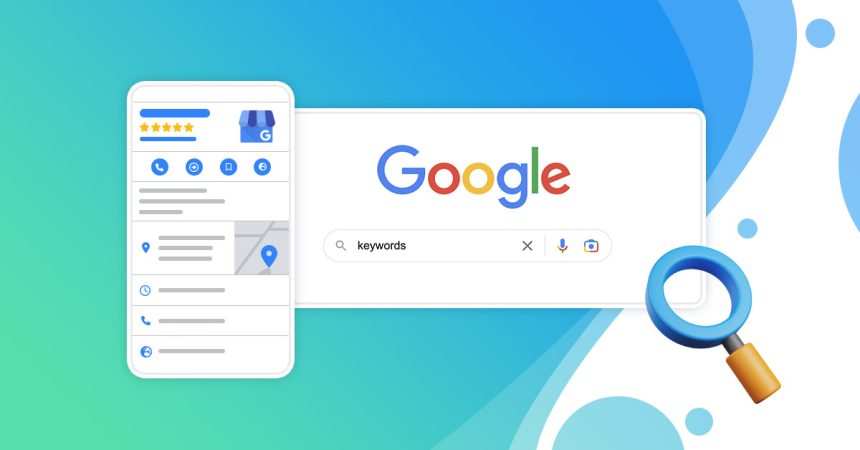
In a city as competitive and fast-paced as Dubai, having a strong online presence is no longer optional—it’s essential. Whether you run a café in Jumeirah, a salon in Deira, or a consultancy in Business Bay, your visibility on search engines directly impacts your ability to attract customers. One of the most powerful and cost-effective tools to achieve this is a Google Business Profile (GBP).
This comprehensive 2026 guide walks you through the exact steps for Google My Business Dubai setup, explains how it supports local SEO Dubai small business strategies, and shows you how to rank on Google Maps Dubai effectively.
Why Google Business Profile Matters in Dubai
Dubai is a highly digital-first market. According to recent global search behavior studies, over 46% of all Google searches have local intent, and nearly 88% of users who search for a local business visit or contact one within 24 hours. In a city where convenience and proximity drive decisions, showing up in local search results is crucial.
A well-optimized Google Business Profile Dubai listing helps your business:
- Appear in Google Search and Maps results
- Build credibility through reviews and ratings
- Share business details like hours, location, and services
- Increase website traffic and footfall
For small and medium enterprises, especially, it’s one of the most effective tools for improving local SEO Dubai small business visibility without heavy advertising costs.
What Is Google Business Profile?
Google Business Profile (formerly Google My Business) is a free tool that allows businesses to manage their online presence across Google Search and Google Maps. It acts as a digital storefront, giving potential customers quick access to essential information about your business.
In Dubai, where customers often search for services like “best café near me” or “top salon in Dubai Marina,” your profile determines whether your business shows up—or gets ignored.
Step-by-Step Guide: Google My Business Dubai Setup (2026)
The following is the step-by-step you need to follow to create a Google Business Profile.
Step 1: Create or Claim Your Business Profile
Start by visiting the Google Business Profile page and signing in with your Google account.
- If your business already exists, claim it.
- If not, click “Add your business to Google.”
Enter your business name exactly as it appears in real life—consistency matters for SEO.
Tip: Avoid adding unnecessary keywords in your business name. This can lead to suspension.
Step 2: Choose the Right Business Category
Selecting the correct category is one of the most important steps in Google My Business Dubai setup.
For example:
- Restaurant → “Restaurant.”
- Real estate agency → “Real Estate Agency.”
- Beauty salon → “Beauty Salon.”
You can also add secondary categories, but your primary category should best describe your core service.
This directly impacts your chances of appearing in relevant searches and improves your Google Business Profile Dubai performance.
Step 3: Add Your Business Location
If you have a physical location in Dubai:
- Enter your full address accurately
- Pin your location on Google Maps
If you operate remotely or offer services at customer locations (e.g., home cleaning or delivery), you can choose a service-area business and list the areas you serve.
Accurate location data is critical to know how to rank on Google Maps Dubai, as proximity plays a major role in rankings.
Step 4: Add Contact Information
Include:
- Phone number (preferably a local UAE number)
- Website URL
- Business email (optional but recommended)
Make sure your contact details are consistent across all platforms—this strengthens your local SEO Dubai small business strategy.
Step 5: Verify Your Business
Verification confirms that your business is legitimate. In Dubai, Google typically offers:
- Postcard verification (sent to your address)
- Phone or email verification (for some businesses)
- Video verification (increasingly common in 2026)
Complete this step to make your listing live.
Step 6: Add Business Hours
Clearly define your operating hours, including:
- Weekday and weekend timings
- Special holiday hours (e.g., Ramadan schedules)
Dubai consumers rely heavily on accurate timing information. Inconsistent hours can lead to negative user experiences and reviews.
Step 7: Upload High-Quality Photos
Visual content significantly improves engagement.
Add:
- Exterior and interior photos
- Product or service images
- Team photos
- Logo and cover image
Businesses with photos receive 42% more requests for directions and 35% more clicks to their websites, according to Google Insights.
This step enhances your Google Business Profile Dubai appeal and credibility.
Step 8: Write a Compelling Business Description
Your business description should:
- Clearly explain what you offer
- Include relevant keywords naturally
- Highlight your unique selling points
Example:
“A modern café in Dubai Marina offering specialty coffee, fresh pastries, and a cozy workspace environment.”
Avoid keyword stuffing—focus on clarity and value.
Step 9: Add Products and Services
List your services with descriptions and pricing (if applicable). This helps customers understand your offerings without visiting your website.
For example:
- “Haircut – AED 80”
- “Website Development – Custom Pricing”
This step supports both user experience and local SEO Dubai small business optimization.
Step 10: Enable Messaging and Booking Features
Google Business Profile allows:
- Direct messaging from customers
- Appointment booking integrations
These features are increasingly important in Dubai’s fast-paced service environment, where customers expect instant communication.
How to Optimize Your Google Business Profile for Better Rankings
Setting up your profile is just the beginning. To truly understand how to rank on Google Maps Dubai, you need to optimize it continuously.
1. Collect and Manage Reviews
Reviews are one of the strongest ranking factors.
- Ask satisfied customers to leave reviews
- Respond to all reviews (positive and negative)
- Use keywords naturally in responses
For example:
“Thank you for visiting our salon in Dubai Marina—we’re glad you loved our services!”
Businesses with higher ratings and active engagement rank better in local search results.
2. Post Regular Updates
Use Google Posts to share:
- Promotions
- Events
- Announcements
- Blog updates
Regular activity signals to Google that your business is active and relevant.
3. Use Keywords Strategically
Incorporate keywords like:
- Google Business Profile Dubai
- Google My Business Dubai setup
- local SEO Dubai small business
- How to rank on Google Maps Dubai
Use them naturally in your description, posts, and responses.
4. Maintain NAP Consistency
NAP = Name, Address, Phone Number
Ensure your NAP details match across:
- Website
- Social media
- Online directories
Consistency improves trust and boosts your local SEO Dubai small business efforts.
5. Add Attributes and Highlights
Google allows you to add attributes such as:
- “Wheelchair accessible”
- “Free Wi-Fi”
- “Family-friendly”
These details help users make decisions and improve your profile visibility.
Common Mistakes to Avoid
When doing a Google My Business Dubai setup, avoid these pitfalls:
- Using incorrect or inconsistent business information
- Ignoring customer reviews
- Uploading low-quality images
- Keyword stuffing in a business name
- Not updating business hours
These mistakes can harm your rankings and reduce trust.
Advanced Tips for 2026
Follow these advanced tips to get the most of Google Business Profile.
1. Leverage AI-Driven Insights
Google now provides advanced analytics showing:
- Customer search queries
- Profile interactions
- Call and direction requests
Use these insights to refine your strategy.
2. Optimize for Voice Search
With the rise of voice assistants, people search differently:
- “Best bakery near me in Dubai”
- “Affordable gym in Business Bay”
Structure your content and profile to match conversational queries.
3. Focus on Mobile Experience
Most local searches in Dubai happen on mobile devices. Ensure:
- Your website is mobile-friendly
- Contact buttons are easily clickable
- Information loads quickly
How Google Business Profile Supports Local SEO in Dubai
A strong Google Business Profile Dubai listing directly impacts your local SEO Dubai small business performance by:
- Increasing visibility in local search results
- Improving click-through rates
- Driving foot traffic and conversions
- Enhancing brand credibility
When combined with a well-optimized website and local backlinks, it becomes a powerful growth tool. If you don’t have a website yet, working with a professional web designer Dubai ensures your site is built with local SEO in mind from day one.
Final Thoughts
Setting up and optimizing your Google Business Profile is one of the most effective ways to establish your digital presence in Dubai. With the right approach, even small businesses can compete with larger brands in local search results.
By following this step-by-step Google My Business Dubai setup guide and implementing ongoing optimization strategies, you’ll significantly improve your chances of appearing in top results and mastering how to rank on Google Maps Dubai.
FAQs
1. How do I set up a Google Business Profile for my Dubai business?
To set up a Google Business Profile Dubai, sign in to Google, add your business details, choose the correct category, verify your listing, and complete your profile with accurate information, photos, and services.
2. How long does the Google My Business Dubai setup take?
The setup process takes about 20–30 minutes, but verification can take a few days depending on the method (postcard, phone, or video).
3. How can I improve local SEO for my small business in Dubai?
Focus on optimizing your profile, collecting reviews, maintaining consistent NAP details, and posting regular updates. These steps strengthen your local SEO Dubai small business strategy.
4. Why is my business not ranking on Google Maps in Dubai?
Common reasons include incomplete profile, lack of reviews, incorrect category selection, or inconsistent information. Optimizing these factors improves how to rank on Google Maps Dubai.
5. Is Google Business Profile free in Dubai?
Yes, creating and managing a Google Business Profile Dubai listing is completely free.
6. Can I manage multiple locations under one account?
Yes, Google allows businesses to manage multiple locations through a single account, making it easier for franchises and multi-branch businesses in Dubai.